Get in touch
Reimagening Nest
Reimagining Google Nest from a smart home → friendly and cheerful collaborative system.Google Nest is Google’s line of smart home devices that helps make homes safer, smarter, and more convenient.
Team
5 Members
Year
2025
Role
Team Lead, UX Design, Design System
Context
Speculating personalization of collaborative work spaces
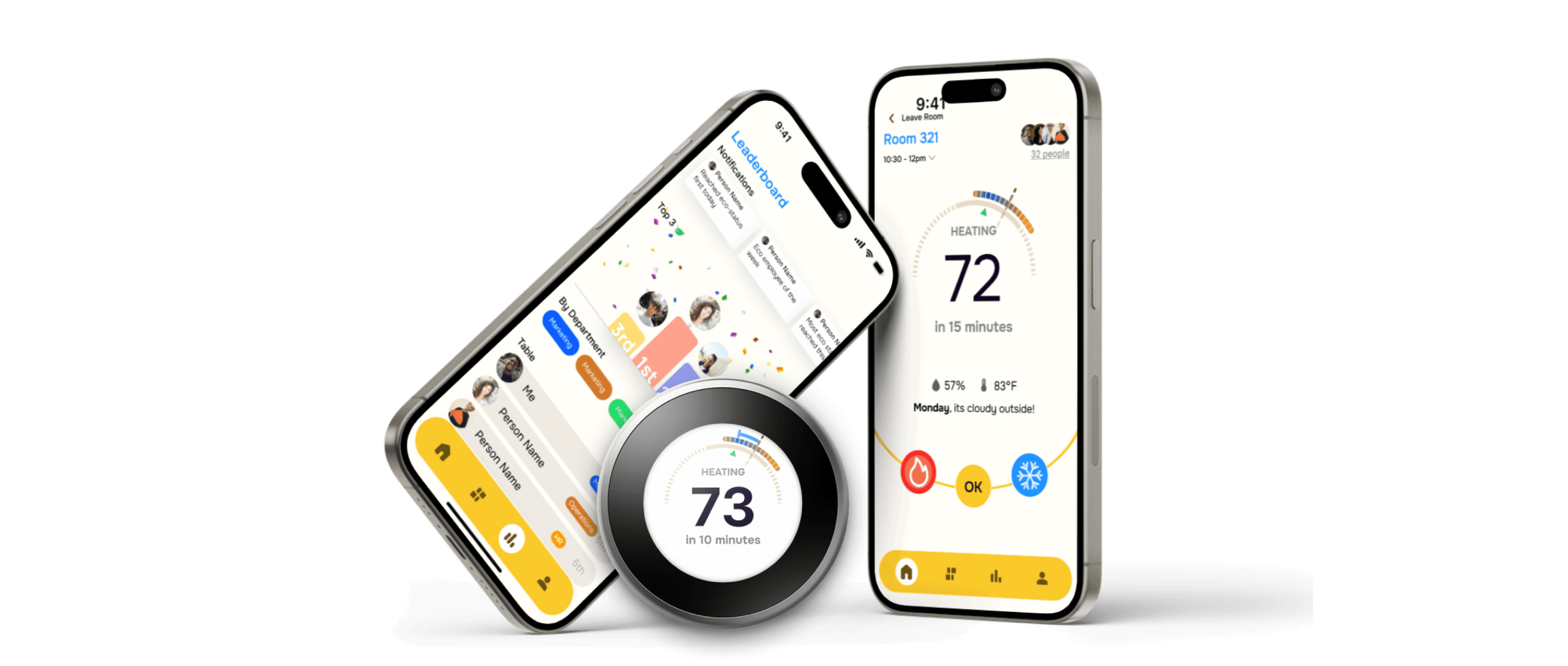
Our redesigned Google Nest Thermostat reimagines smart temperature control for collaborative office spaces, combining a companion app and thermostat interface to better support shared environments. It integrates individual preferences, enables real-time collaboration during meetings and co-working sessions, and creates a clearer, friendlier system that gives employees more transparency and shared control over workspace comfort.
46%
of employees, say their workplace is either too hot or too cold, affecting their productivity.
38%
of the 38,851 office workers from 168 cities in the US were dissatisfied with the temperature in their offices.
Challenge
Designing for the invisible
In shared work environments, managing temperature preferences often leads to discomfort, unspoken frustrations, and productivity dips.
IMPACT
The new system increased perceived satisfaction and productivity.
102.6%
Increase in perceived satisfaction with temperature in collaborative spaces
170hrs → $1.8m
Initial investment of time + expertise funneling with a tangible monetary value.
100%
Success rate in maintaining optimal temperature and boosting user confidence and satisfaction.
What is google nest Thermostat?
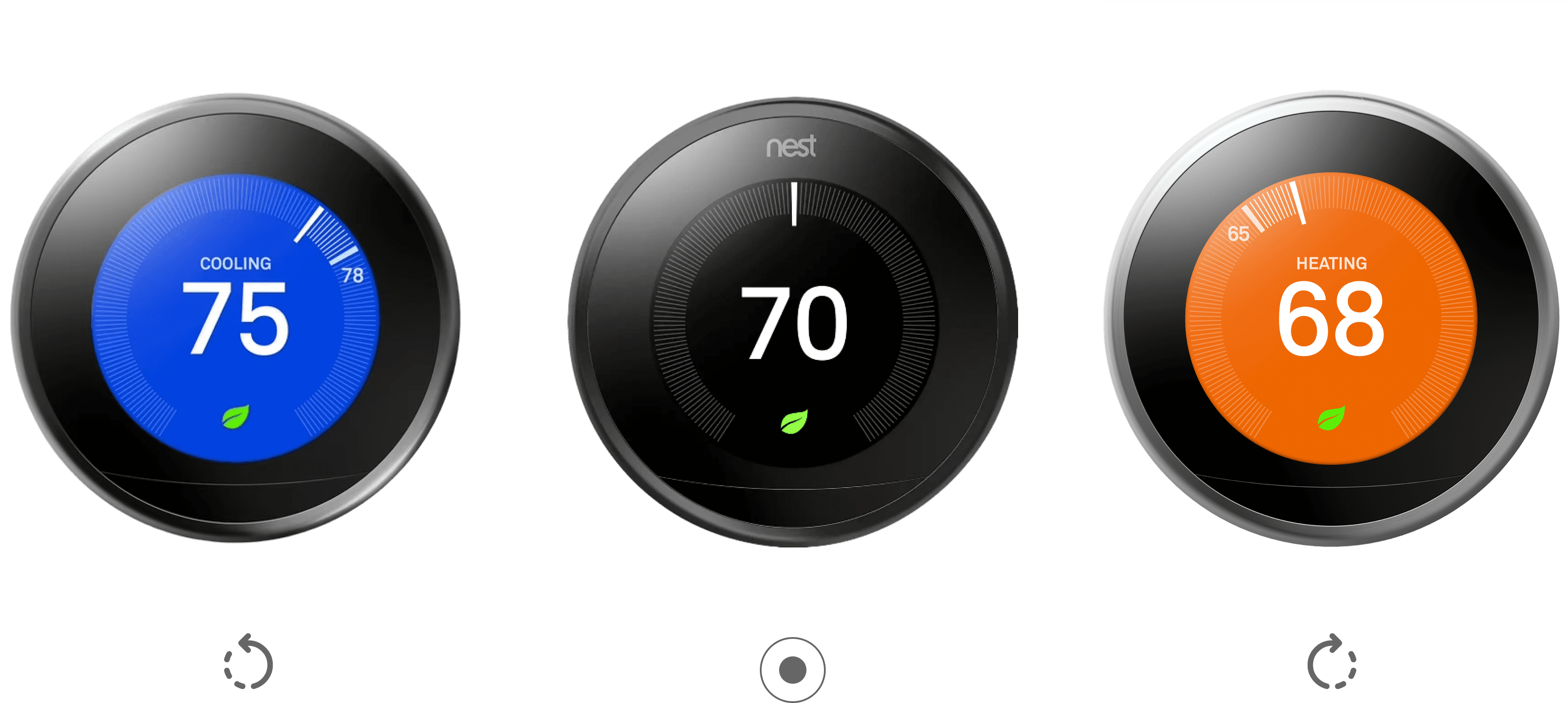
The Google Nest Thermostat is an ENERGY STAR® certified smart thermostat that helps save energy by automatically adjusting temperatures when you leave, controlled via the Google Home app.
The Problem
Google nest ecosystem are designed for autonomy
Current google nest devices are designed for individual household automation. Being able to access remotely and elevate home conditions makes it simple to operate and do everyday task.
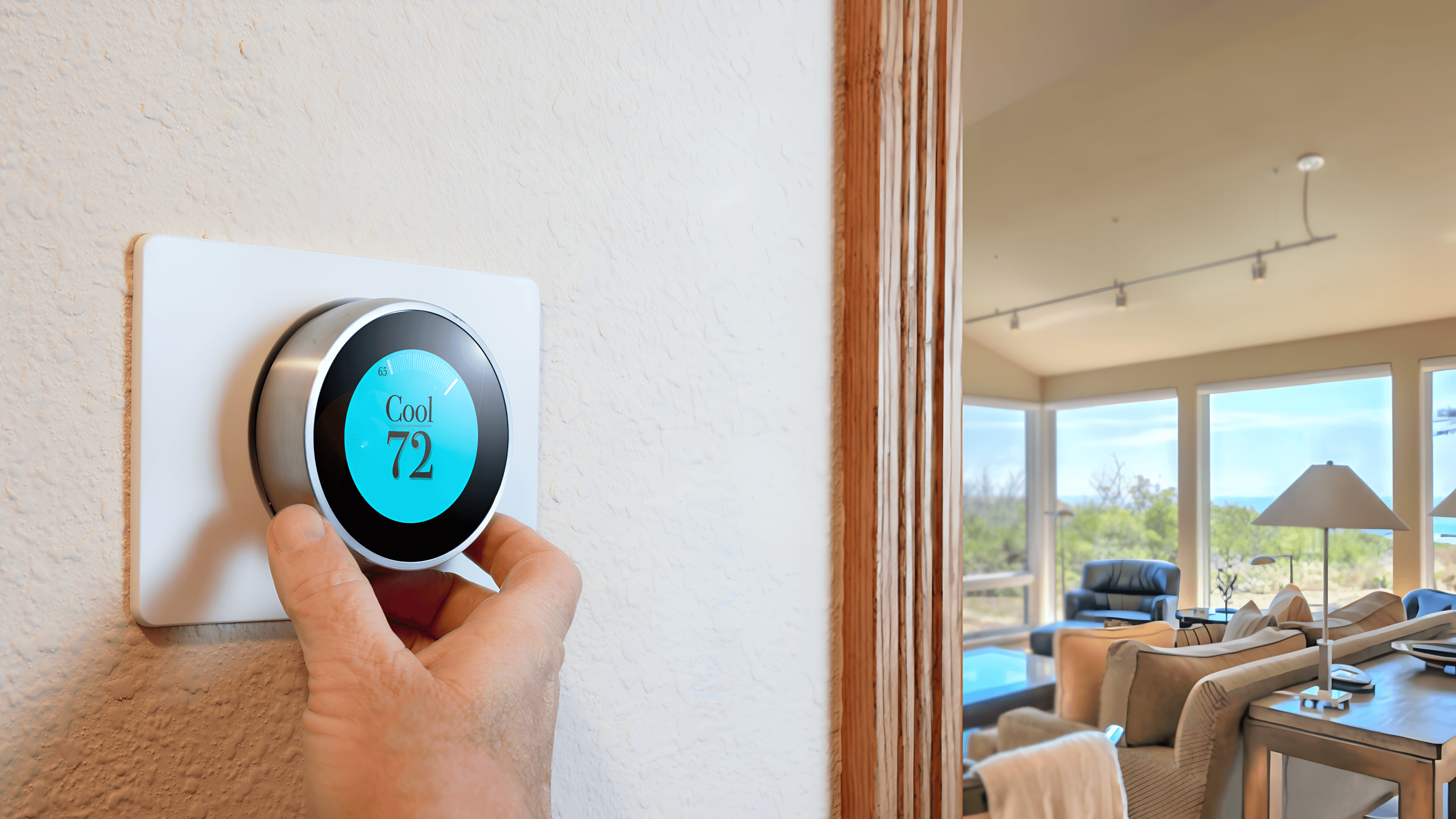
However, google nest thermostat only inputs one temperature at a time
Current Google Nest thermostats are designed primarily for individual household control, which makes them poorly suited for shared work environments where temperature preferences vary and responsibility is unclear.
Conflicting preferences in group settings
Lack of clarity in who controls the thermostat
Inability to adjust temperature without disrupting others
No structured way to override when discomfort becomes significant
The Process
surprisingly, there are Specific things that are considered cheerful and friendly
To understand what is cheerful and friendly studied 100s of graphics, apps, compositions and even dipped our feet in color psychology to see what fit the cutout perfectly.
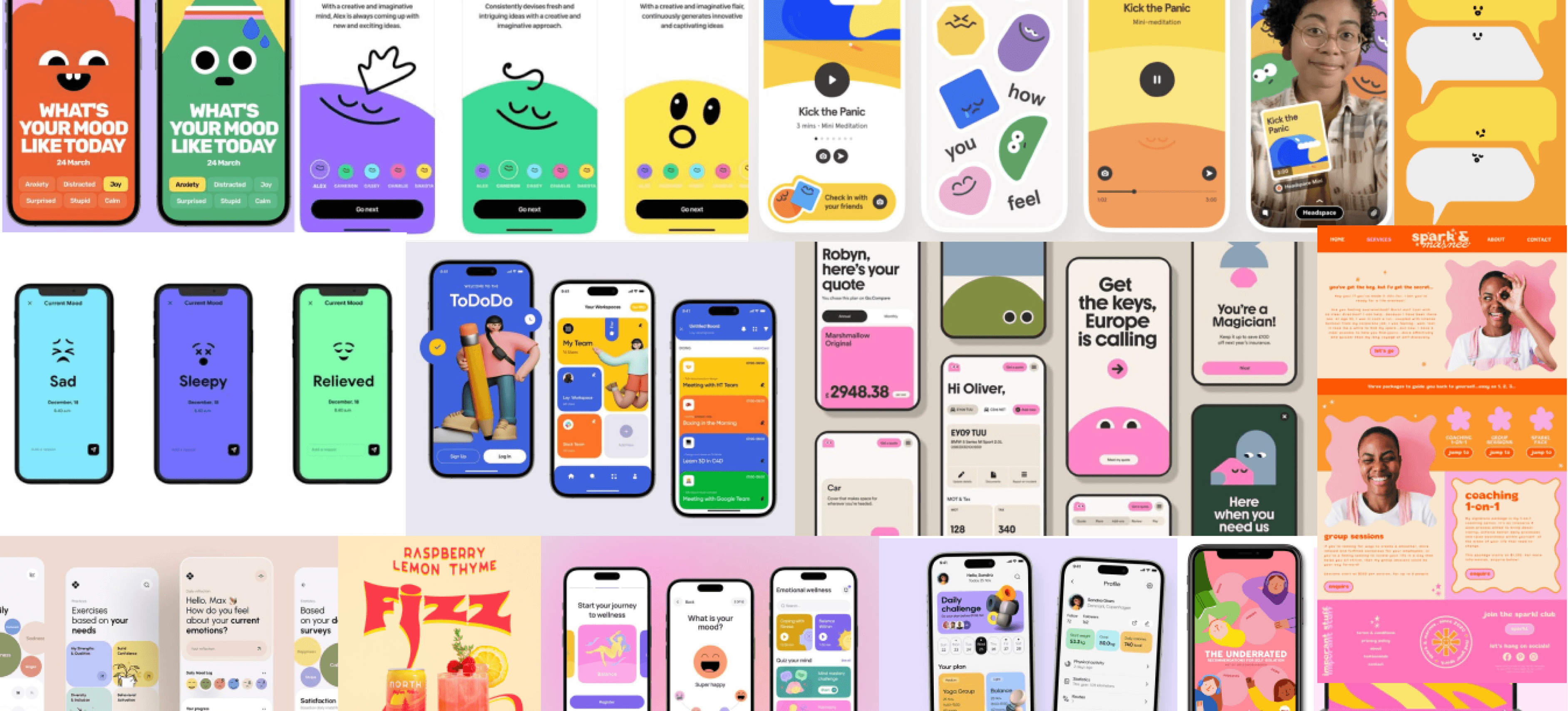
Built guardrails to keep a check
Based on an expansive research and data analysis we concluded with 10 design guides for our approach
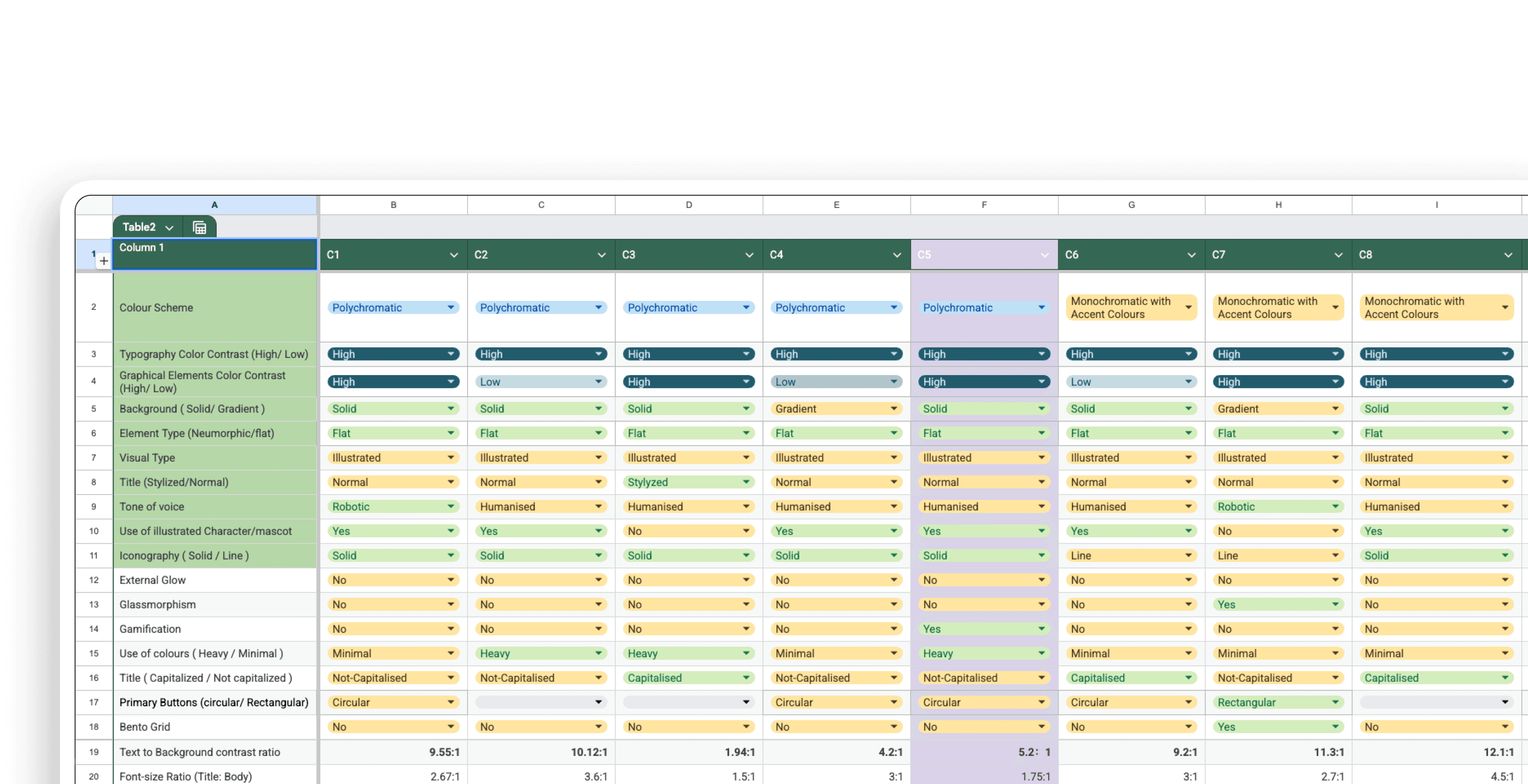
Solid Background
Humanised Tone of voice
Solid Icons
Polychromatic Colour Scheme
Mascot/character
High Graphical Element
Illustrated Visual Type
Flat Element Type
Non-stylized Title
High typography Color Contrast
Need for a paradigm shift
Based on an expansive research and data analysis we concluded with 10 design guides for our approach
Feeling cold
->
Change temperature
->
Go back to work, wait for temperature to be perfect
The new experience
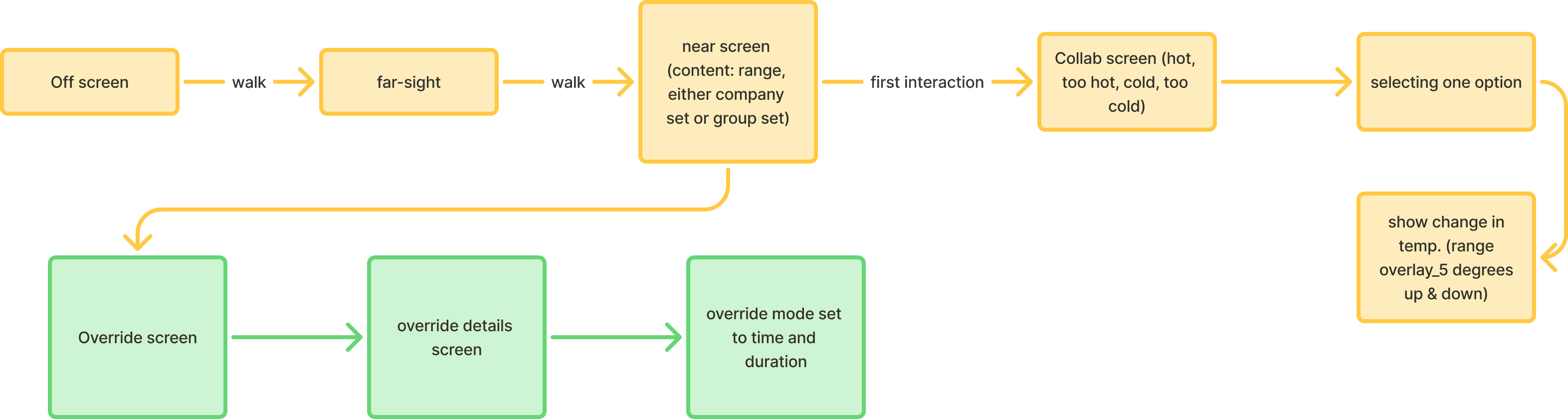
The new experience begins and thrives on the perceived emotion of input and response of the device. The comfort now comes from the ability of the user to have been able to change the perceived local temperature in a collaborative space.
Feeling cold
->
Adding temperature range change to group average
->
Temperature range shift due to additional input
->
Go back to work, wait for temperature to be perfect
Core elevate collaborative experience
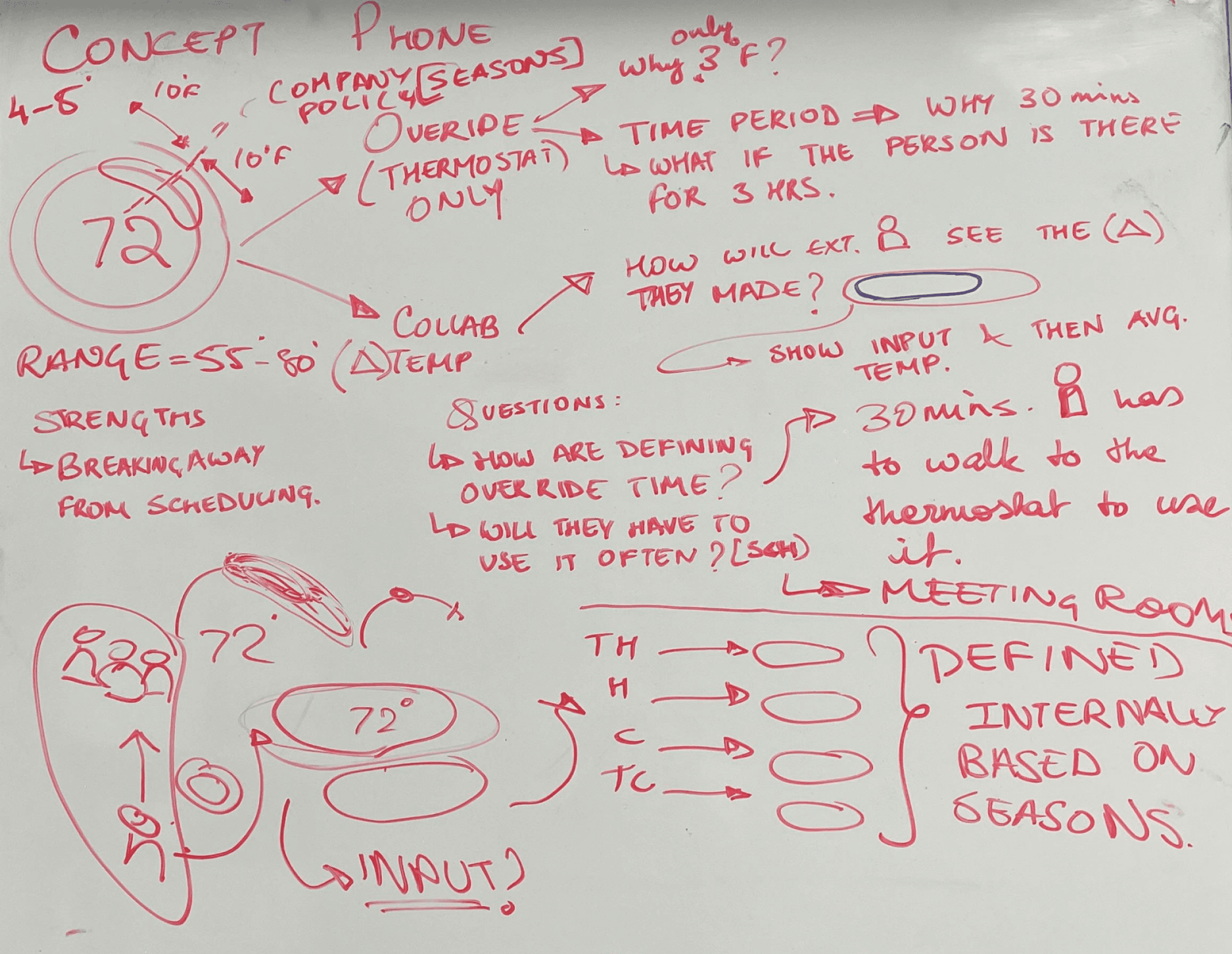
Conceptualizing what it means to truly collaboratively make a change
The core idea was to help users feel not judged by others and have incremental change in global average temperature of the space. We achieved this by change temperature by two increments of inputs on either side by the feelings of hot, too hot, cold and too cold, offering a subtle yet strong confidence level for change in temperature. At the same time the input received will change the global average temperature by corresponding values in the system level logic based on seasons of the year.
Designing for the challenge
visualizing the invisible
The goal now to give enough information and feedback to users that helps them feel more confident and comfortable changing temperatures and also satisfied with the end result.
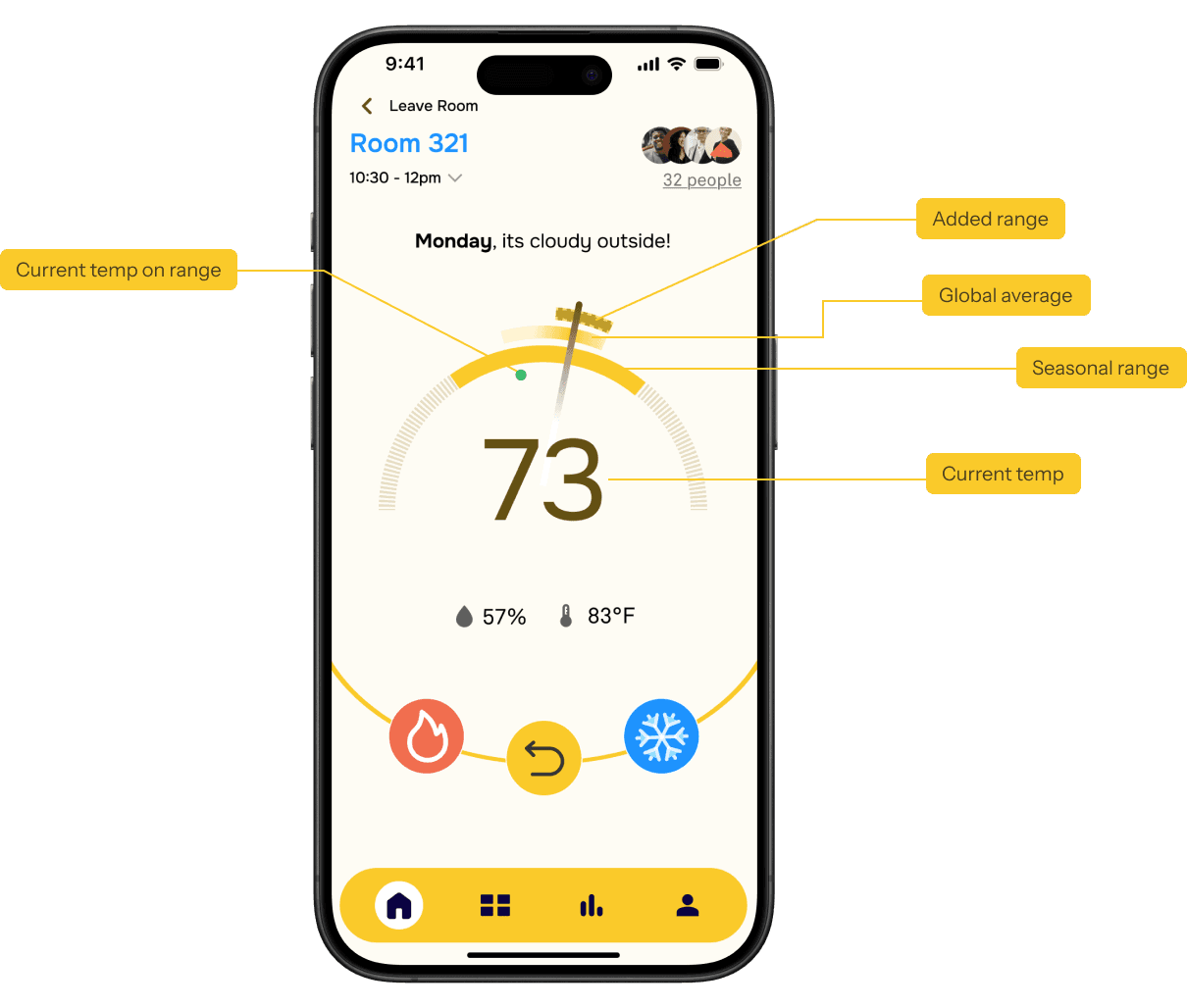

The dials ranges were not understood by testing gorup.
The values shown on the screen did not appear to be in correspondence with the dials said other users.
Merge and overlap range for better perception
The new design uses lesser elements to show more data.
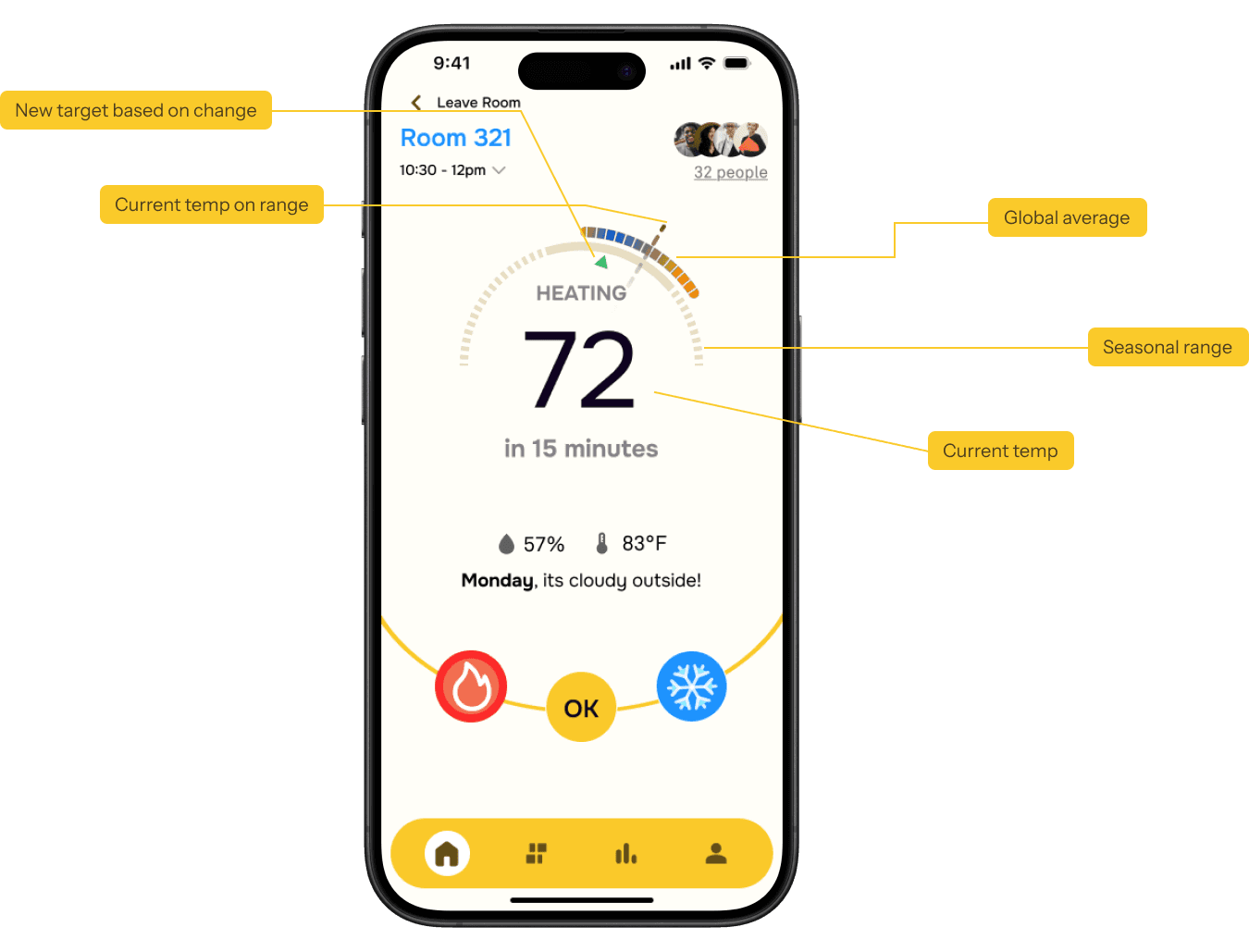

Less visual clutter
Reduces the input options with just hot and cold, making the decision making easier
Visualize change in temperature data
The blue progress bars visualizes the subjected change in temperature.
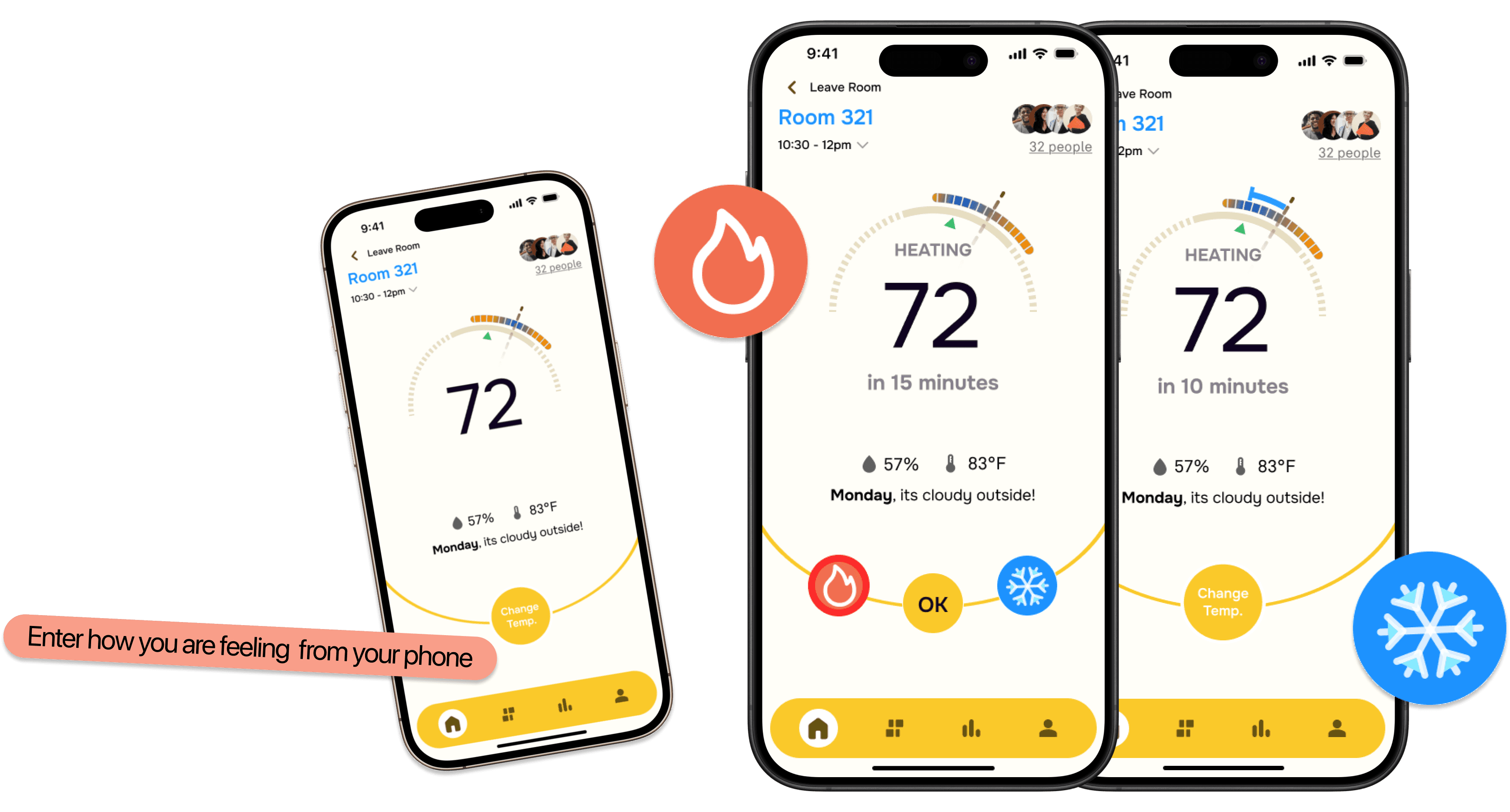
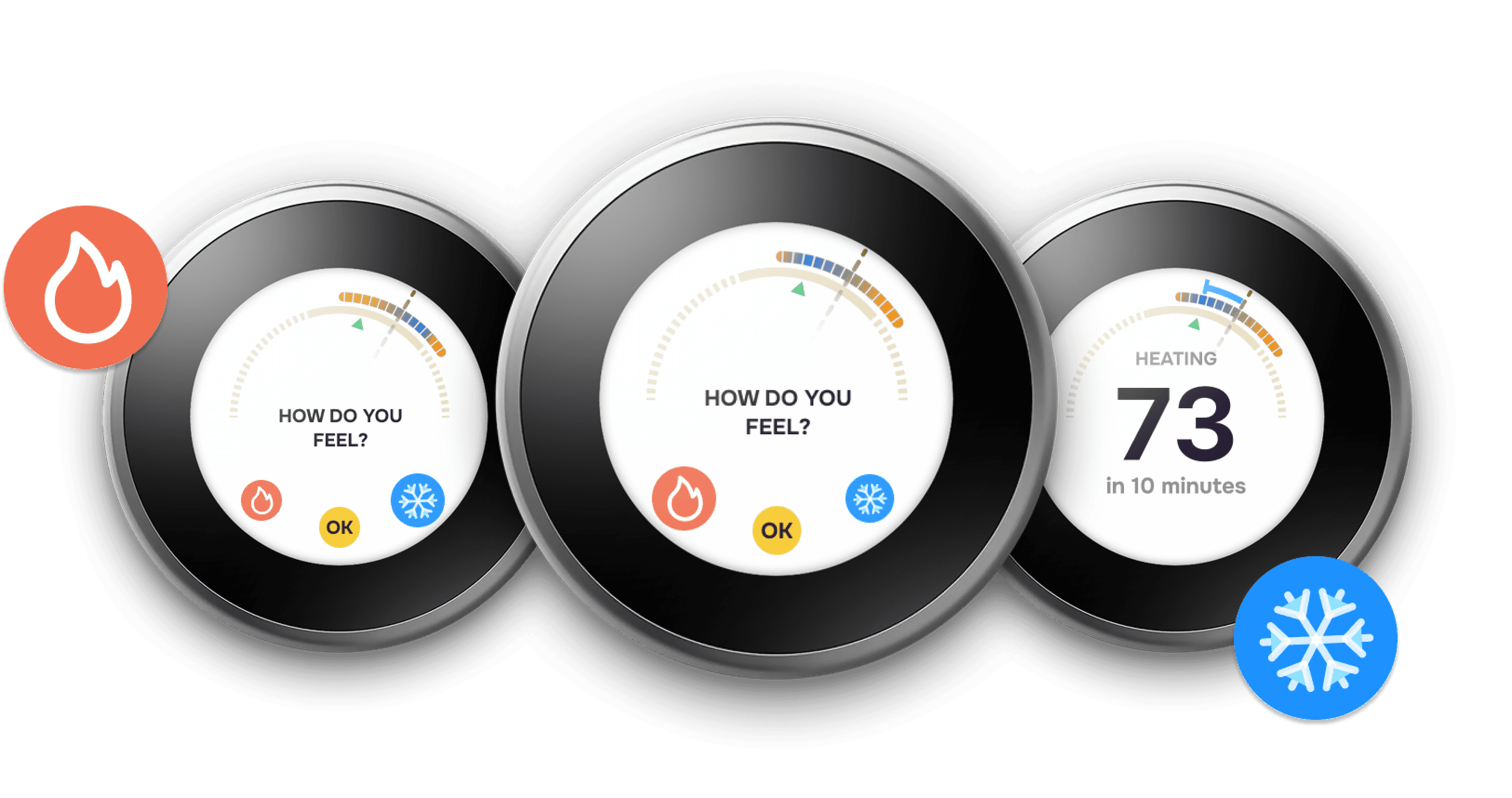
Highlights the changes in temperature with less confusion on both the nest and mobile interface , for perceived satisfaction.
Supplementary features
Google workspace integration
The core idea was to help users feel not judged by others and have incremental change in global average temperature range of the space. We achieved this by change temperature range by two increments of inputs on either side by the feelings of hot, too hot, cold and too cold, offering a subtle yet strong confidence level for change in temperature. At the same time the input received will change the global average temperature by corresponding values in the system level logic based on seasons of the year.
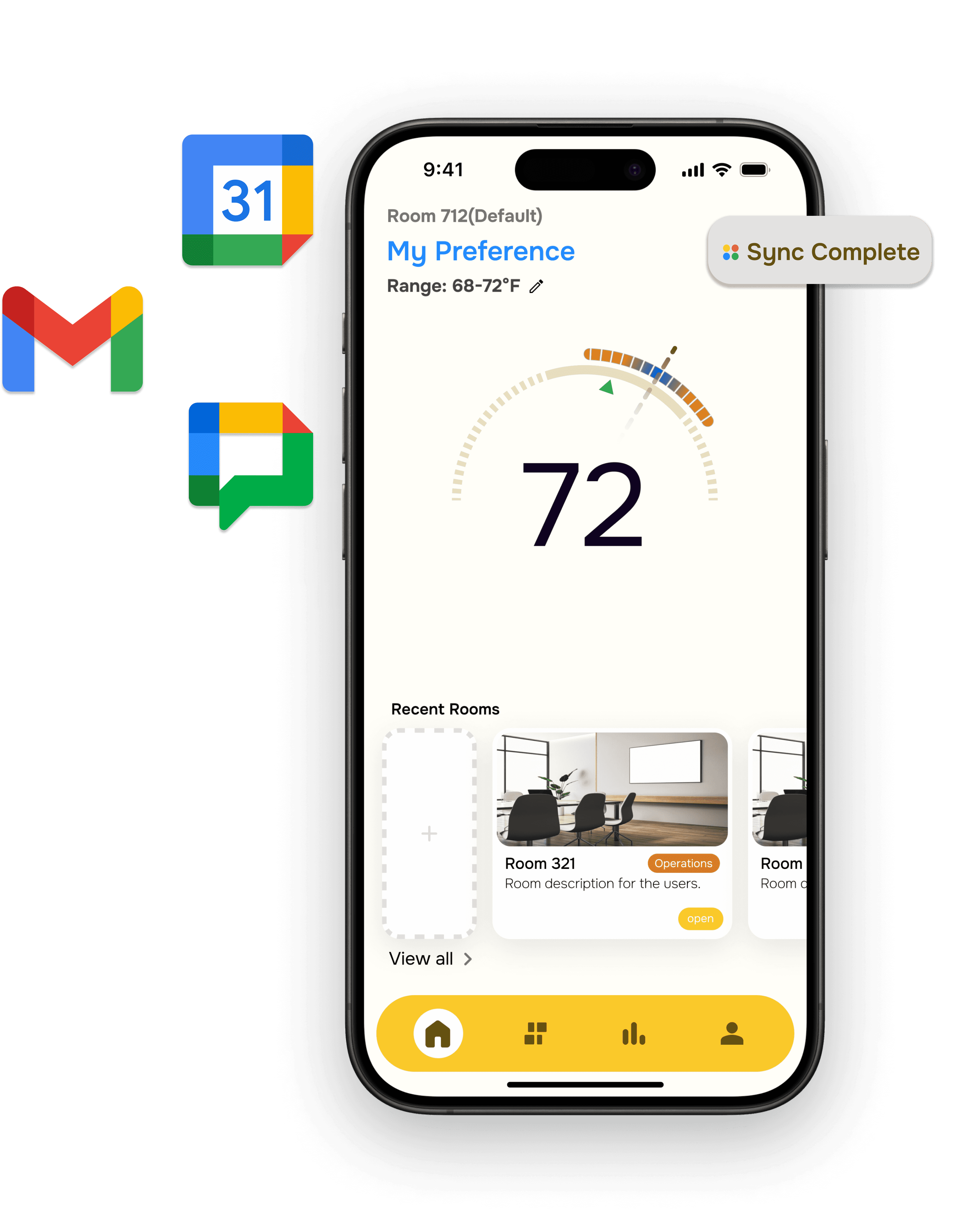
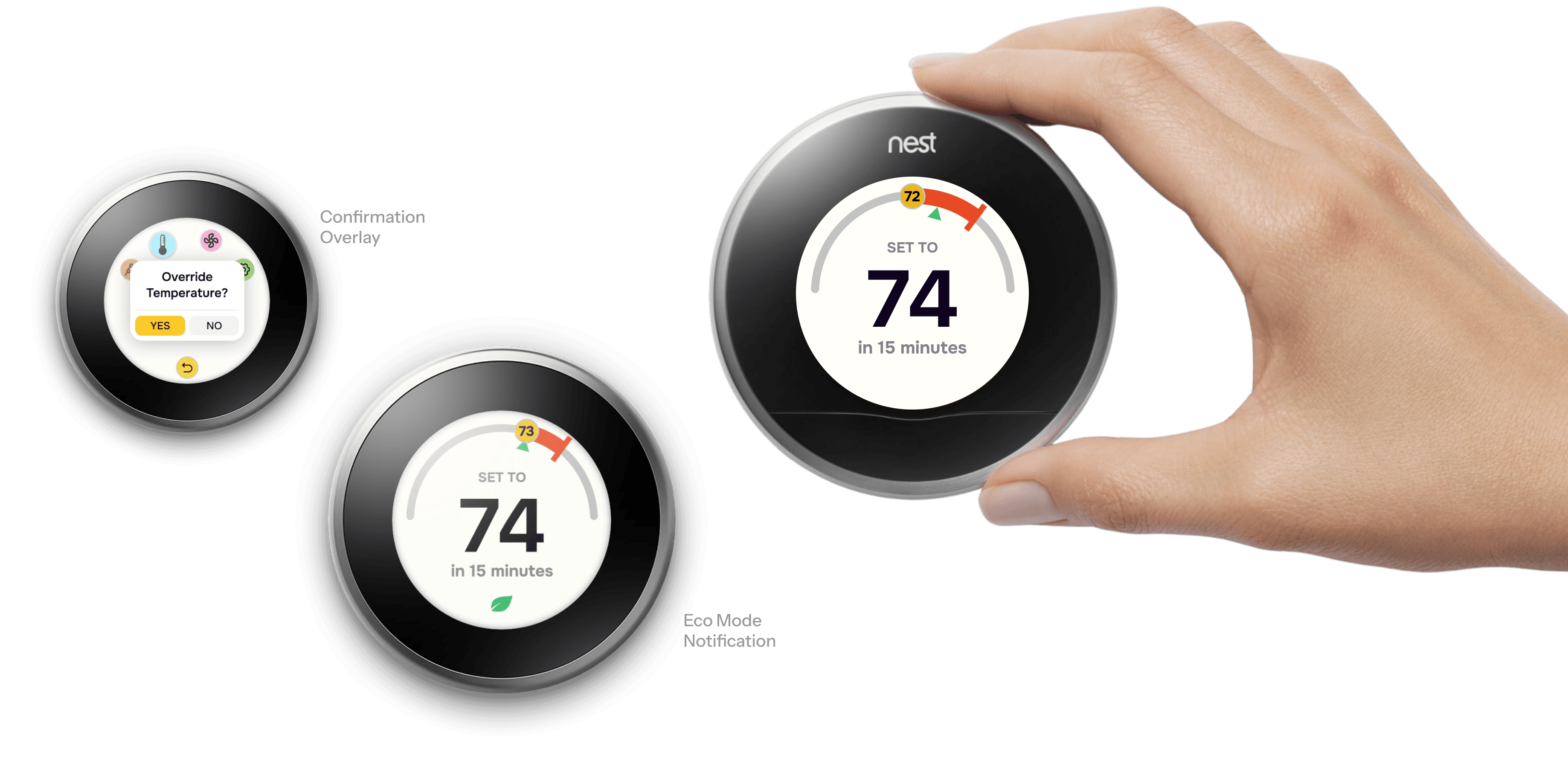
Timed Override Function
Override change function to run for a limited time for the moments when you need direct change. Runs for 30 minutes only though for temporary comfort.
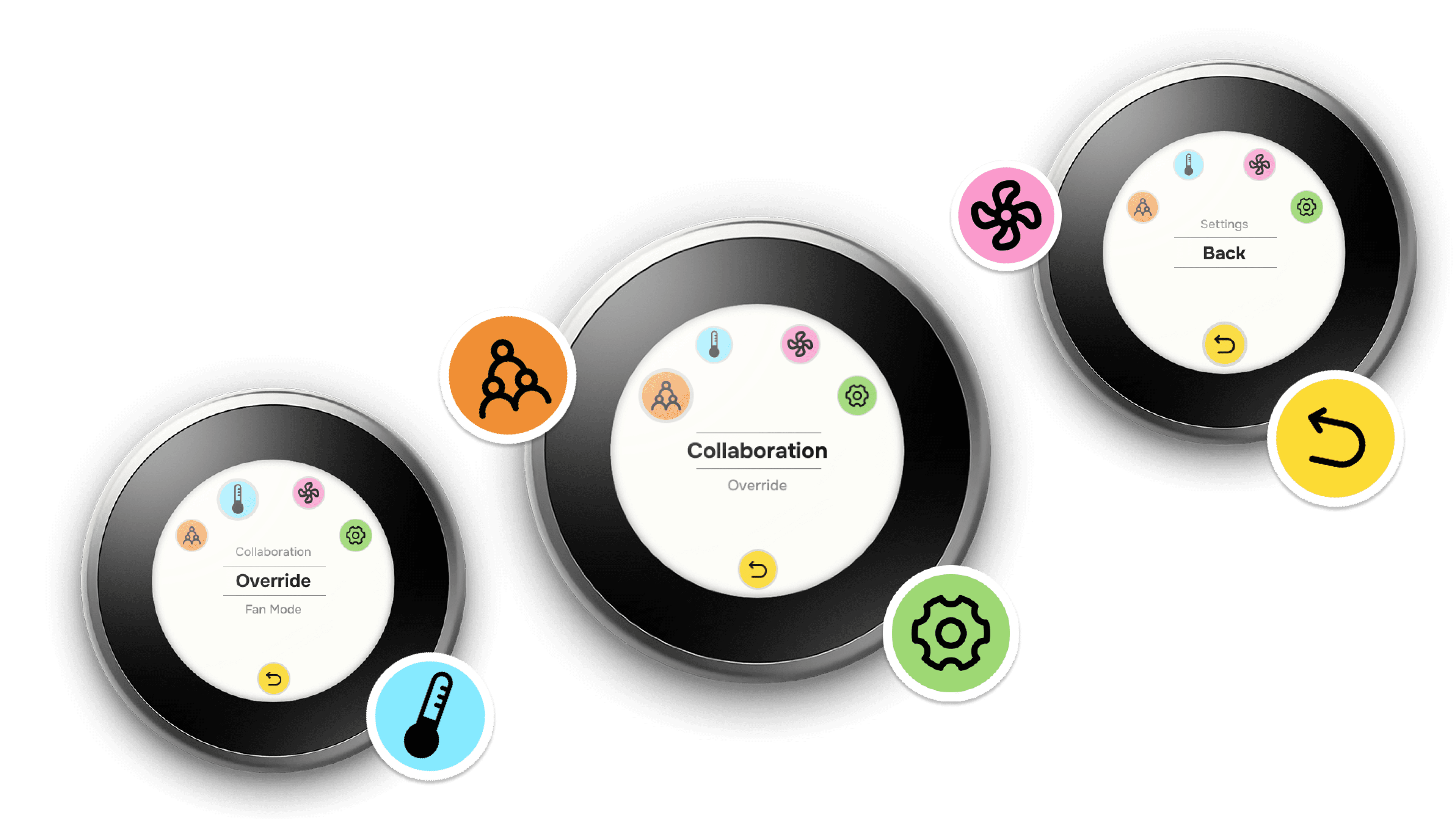
Simple navigation menu
Rotatory menu for the physical thermostat device for the moments when the phone is not around you.
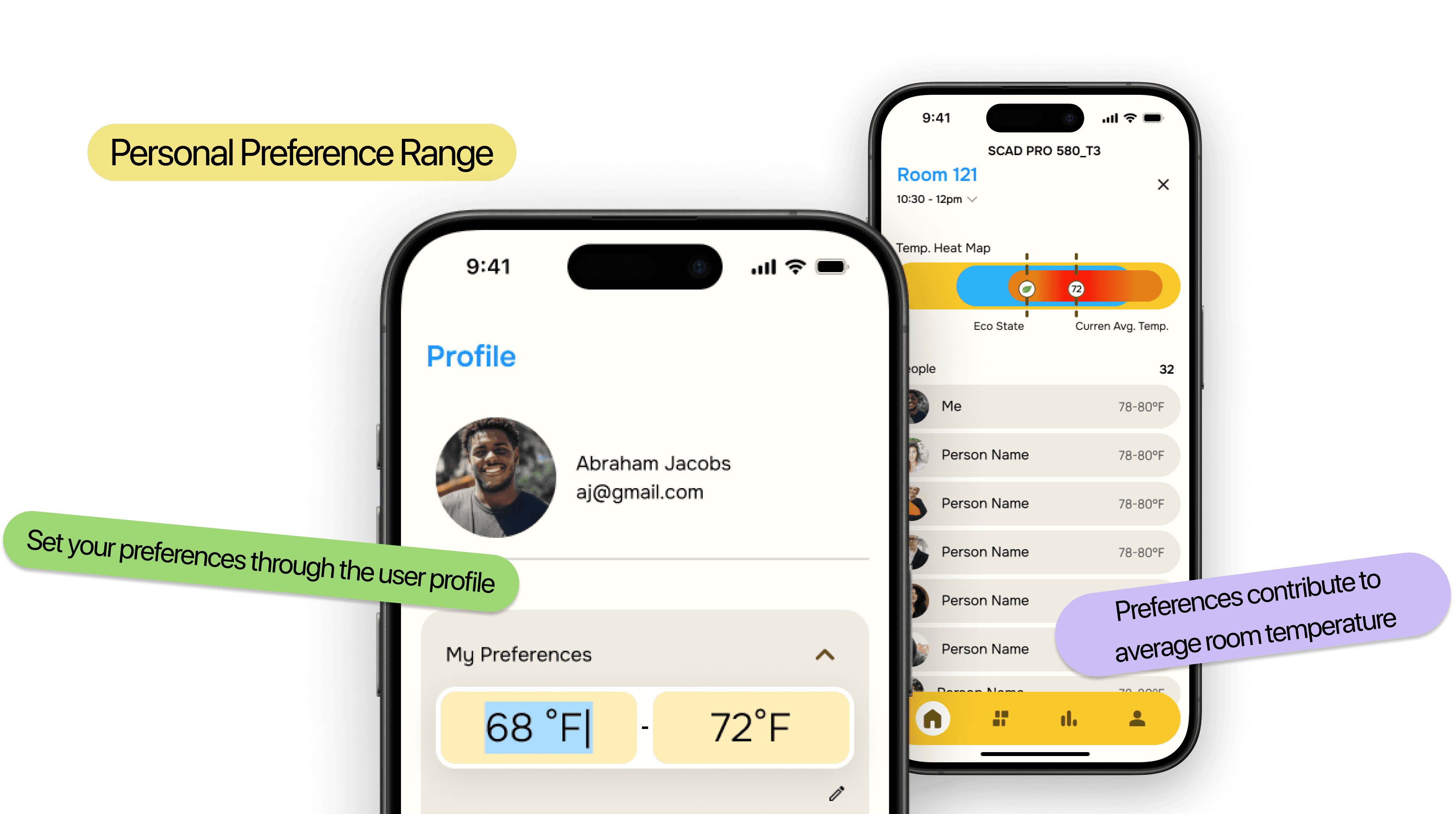
Personal preference range
Save your temperature preference on you profile and also what others are doing to collaborate on keeping the room comfortable for all.
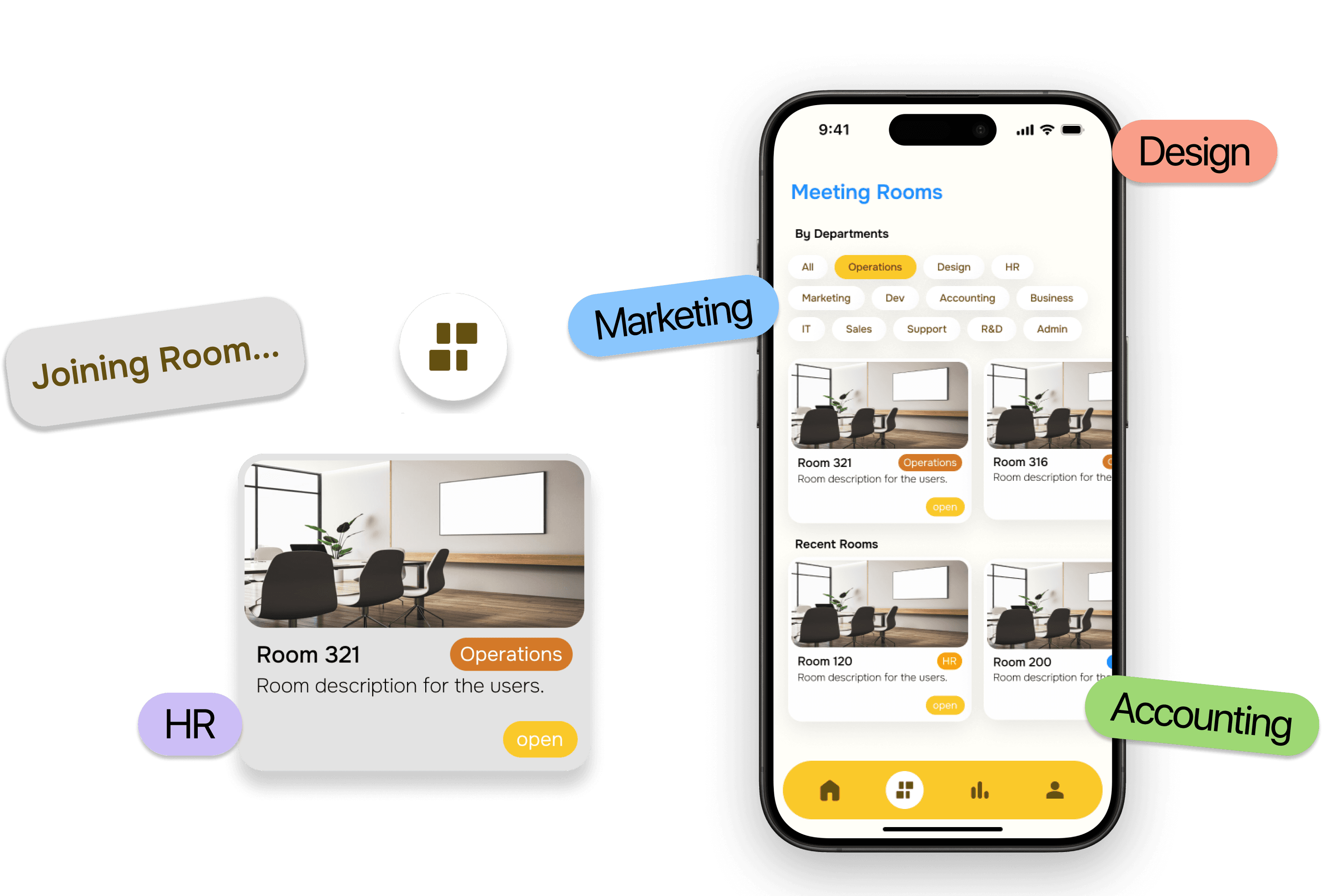
Reserving rooms by department
Preset meeting rooms and other spaces before you even get there.
But that’s not all......
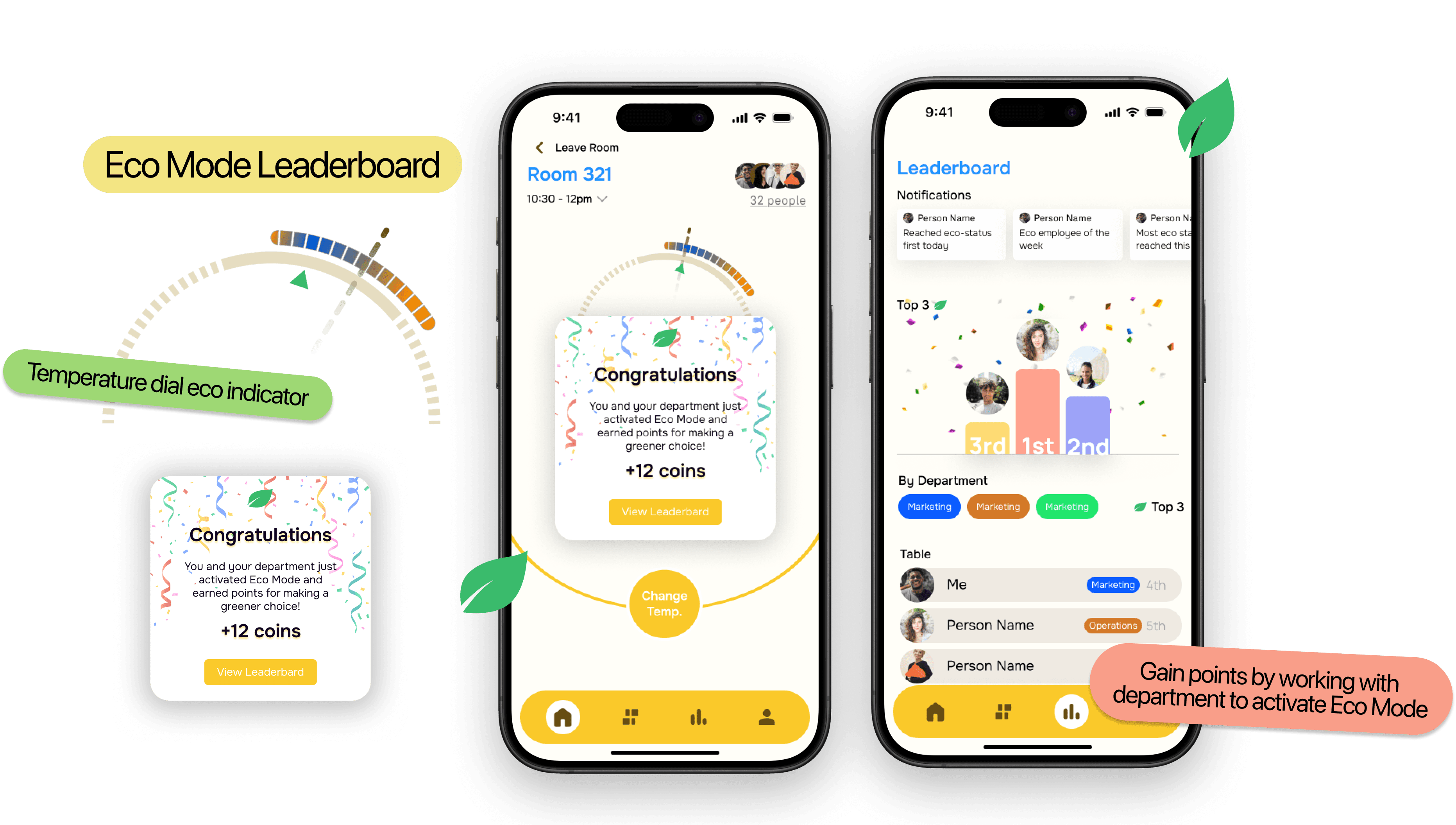
To keep people motivated, a leaderboard to see which department is the most economical via the collaborative configuration of the thermostat.
What I learned
Key takeaways
This project was exciting and filled with a lot of quick sprints and deadlines. I’ve learnt a lot from my peers, from the stakeholders about their business. But here are some of my key takeways....
Don’t be too close to a project when working as team player in the Industry
This project was very iterative and a lot of the work was not used, so not being attached to my designs was the best way to nurture potential solutions and be unbiased to them.
When working with physical devices, be mindful of the inherent physical functionality of the device (UX+ID)
Designing for physical devices with digital interfaces can be challenging as the physical interaction can often pose constraints and demand work arounds but at the same time it evolves your ability to think out of the box.